Image-based Python Editor
A completely "image" based Python IDE for CMU's 15-112.
Introduction
Carnegie Mellon's 15-112 requires what is called a "term project" at the end of the term. We had the option to all do Sudoku but I felt that would be boring, so I went with the most daring route and did a custom project. This project needed to use the CMU Graphics library quite heavily and instead of making some generic game (don't get me wrong, there were some really cool games that term), I wanted to make more of a utility.
After speaking a bit with my instructor, I decided to make an IDE or text editor. However, there was a major challenge.
The Challenge
Unfortunately, the CMU Graphics library had no support for actual text, only what were called labels. These labels could not be selected, copied, or at all interacted with; they were effectively images.
This means that I would have to handle not only syntax highlighting myself (which I intended to do anyway), but also handle all text interactions myself. The truly difficult portions of this project could be split up into two parts:
The Editor. I needed to keep track of a textarea object which would include its relative position on the screen, its content, and the position of the "cursor". The user would be able to move this cursor by clicking on text inside the textarea and by using their arrow keys. Of course, the user should also be able to write, delete, and indent text in the editor.
The Syntax Highlighting. Since I wanted a more complex editor, I wanted to create my own syntax highlighting. This could be done in a more elementary way by checking if every word matches a given set of strings with a pre-selected color, but this felt wrong. This method would also most likely not be complex enough for a high A in the project. Thus, I would need to write my own tokenizer and implement an Abstract Syntax Tree (AST). As to what that actually is, you can read up on that.
The Actual Editor
I created a TextArea class with x and y integers to keep track of its relative position (in pixels), the width and height of the textarea, a 2-D list content which stores the content of the text area, and the position of the cursor stored as an integer.
However, there is one... less than ideal feature which I do regret. content is initialized as self.content = [[1]]. While this list stores characters, it also stores the integer 1. This is because that integer represents the location of the cursor. For internal logic, this is used. For global logic, position is used to keep track of the actual numerical position.
Upon pressing the arrow keys or clicking (which will be explained later), this 1 (which I will refer to as the tracker) will move throughout content. If you type something, it will be inserted before the tracker.
Clicking in the text area
Since this is not actual text, I needed to handle text selection myself.
Final Result
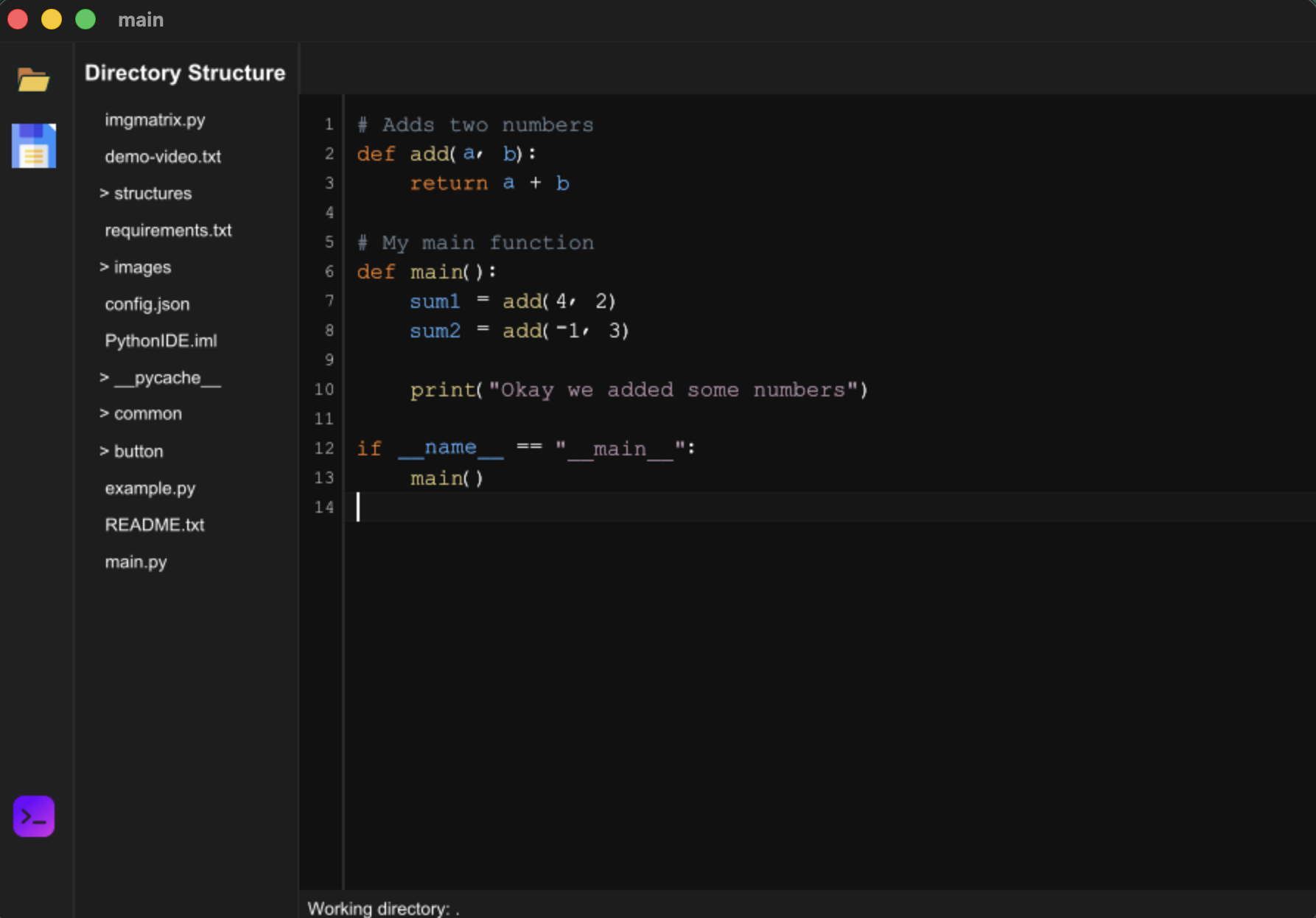 A little script written in the IDE.